Future Wars
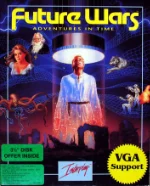 Future Wars, released in 1989 by Delphine Software, is a cinematic point-and-click adventure that blends science fiction with time travel. Players assume the role of a humble window cleaner who unexpectedly stumbles upon an alien conspiracy threatening humanity. What begins as an ordinary day soon turns into a quest across different eras, from medieval times to a distant future.
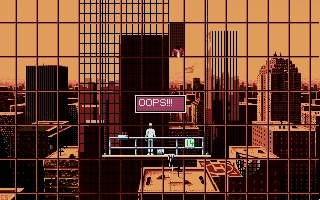
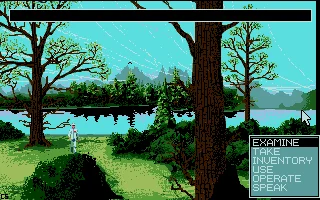
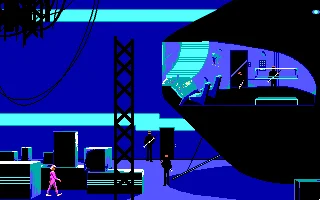
The game uses Delphine’s “Cinematique” interface, one of the earliest mouse-driven systems for adventure games. Instead of relying on text parsers, players interact with the world through a menu of commands, making exploration and puzzle-solving more intuitive. The story unfolds through richly illustrated backgrounds and a strong narrative focus, laying the groundwork for Delphine’s later cinematic adventures.
With its imaginative settings, challenging puzzles, and ambitious scope, Future Wars stood out as an early example of storytelling-driven design on MS-DOS. Its mix of humor, suspense, and science fiction themes helped establish Delphine Software’s reputation, paving the way for classics like Another World and Flashback.
Genre: Adventure
Release: 1989
Developer: Delphine Software
Publisher: -
Also known as: Future Wars: Time Travellers, Future Wars: Adventures in Time, Les Voyageurs du Temps: La Menace
Tags: Sci-Fi, Point-and-click
Played: 118 times in the last 12 months
Just play it!
Tip: Press Alt + Enter to toggle fullscreen mode
Quick tips — new to MS-DOS games?
- Click inside the game to give it keyboard/mouse focus.
- Ctrl + F10 — release or re-capture the mouse cursor.
- Saving varies by game — look for Save in the in-game menu (Esc or F1), or try F5 / F7.
- Some games use passwords instead of saves — note it down!
- Controls are often shown on the game's intro or title screen — don't skip them.
- 🖥️ CRT filter is on by default for that authentic monitor look. Toggle it with Alt+F7 or the CRT: ON/OFF button in the bottom-right corner of the game. Your preference is remembered.
Playing on a phone or tablet?
MS-DOS games were built for a physical keyboard. Use the
keyboard button in the game's bottom bar to bring up
the on-screen keys, or connect a Bluetooth keyboard — some games are
hard to control by touch alone.
Enjoying Future Wars? Rate it or leave a comment — it helps other players find the good ones.
Future Wars controls
| Key | Action |
|---|---|
| Left click | Walk to that spot; confirm a choice |
| Right click | Open the action menu (Examine, Take, Inventory, Use, Operate, Speak) |
| Both mouse buttons together | User menu (pause, restart, load, save) |
| F1 | Examine |
| F2 | Take |
| F3 | Inventory |
| F4 | Use |
| F5 | Operate |
| F6 | Speak |
| F10 | User menu |
| P | Pause |
| + / - | Speed up / slow down the animation |
Explore More
More Adventure Games:
Browse all adventure games
Browse all adventure games
Games from 1989:
See all games from 1989
See all games from 1989
Developer:
More games by Delphine Software
More games by Delphine Software


Comments
No comments yet — be the first to say something.
New Comment