HardBall!
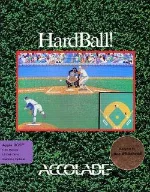 HardBall! is a classic baseball simulation developed and published by Accolade, released for MS-DOS in 1988. Originally created by Bob Whitehead, the game combines fast-paced arcade-style action with surprisingly detailed baseball strategy. Players can take control of pitching, batting, fielding, and base running, making it one of the more complete baseball experiences available on home computers of its era.
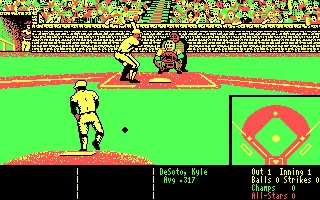
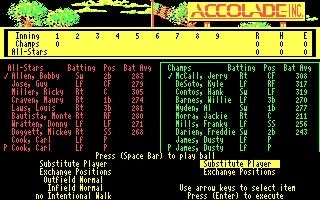
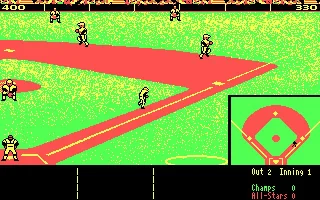
One of the game’s most distinctive features is its behind-the-pitcher camera perspective, designed to resemble the view used in televised baseball broadcasts. Pitchers can choose different types and locations of pitches, while batters must carefully time and direct their swings. Once the ball is in play, the player takes direct control of the fielders and decides where to throw the ball. HardBall! also includes managerial elements, allowing players to select pitchers, arrange lineups, and take individual player statistics into account.
With its combination of accessible controls, strategic depth, and recognizable presentation, HardBall! became one of Accolade’s signature sports titles and helped establish the company’s reputation for computer sports games. Although simple by modern standards, its mixture of arcade gameplay and simulation elements was innovative for the time and laid the foundation for a long-running series of HardBall sequels throughout the following decade.
Just play it!
Tip: Press Alt + Enter to toggle fullscreen mode
Quick tips — new to MS-DOS games?
- Click inside the game to give it keyboard/mouse focus.
- Ctrl + F10 — release or re-capture the mouse cursor.
- Saving varies by game — look for Save in the in-game menu (Esc or F1), or try F5 / F7.
- Some games use passwords instead of saves — note it down!
- Controls are often shown on the game's intro or title screen — don't skip them.
- 🖥️ CRT filter is on by default for that authentic monitor look. Toggle it with Alt+F7 or the CRT: ON/OFF button in the bottom-right corner of the game. Your preference is remembered.
Playing on a phone or tablet?
MS-DOS games were built for a physical keyboard. Use the
keyboard button in the game's bottom bar to bring up
the on-screen keys, or connect a Bluetooth keyboard — some games are
hard to control by touch alone.
Explore More
More Sports Games:
Browse all sports games
Browse all sports games
Games from 1988:
See all games from 1988
See all games from 1988
Developer:
More games by Accolade
More games by Accolade





Comments
No comments yet — be the first to say something.
New Comment