Elvira 2: The Jaws of Cerberus
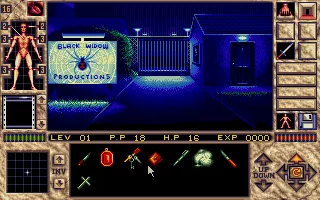
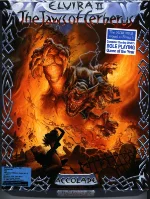 Elvira II: The Jaws of Cerberus is a horror-themed adventure RPG developed by Horror Soft and released for MS-DOS in 1991. As the sequel to Elvira: Mistress of the Dark, the game once again features the iconic horror hostess Elvira, who has been kidnapped by the evil demon Cerberus. Playing as Elvira's boyfriend, you must enter the sinister Black Widow Productions movie studio, where terrifying film sets have mysteriously come to life, and rescue her before the demon can unleash his dark powers.
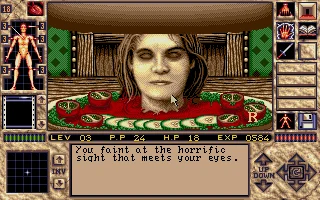
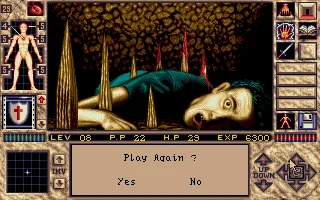
The game combines first-person exploration, point-and-click adventure mechanics, and role-playing elements. Players navigate eerie environments, including a haunted house, monster-infested caverns, and a sinister graveyard, while solving challenging puzzles, battling grotesque creatures, and collecting useful items. A distinctive magic system allows players to create powerful spells using ingredients discovered throughout the adventure. Character attributes, experience points, different combat tactics, and a variety of weapons add strategic depth to the gameplay.
Elvira II: The Jaws of Cerberus stands out for its atmospheric VGA graphics, gruesome monster designs, and unsettling sound effects, creating an immersive horror experience. Its dark humor, elaborate environments, and demanding puzzles make it a memorable example of early 1990s horror gaming. With its unusual blend of adventure, dungeon crawling, and supernatural terror, the game remains a fascinating classic for fans of retro RPGs and old-school horror adventures.
Just play it!
Tip: Press Alt + Enter to toggle fullscreen mode
Quick tips — new to MS-DOS games?
- Click inside the game to give it keyboard/mouse focus.
- Ctrl + F10 — release or re-capture the mouse cursor.
- Saving varies by game — look for Save in the in-game menu (Esc or F1), or try F5 / F7.
- Some games use passwords instead of saves — note it down!
- Controls are often shown on the game's intro or title screen — don't skip them.
- 🖥️ CRT filter is on by default for that authentic monitor look. Toggle it with Alt+F7 or the CRT: ON/OFF button in the bottom-right corner of the game. Your preference is remembered.
Playing on a phone or tablet?
MS-DOS games were built for a physical keyboard. Use the
keyboard button in the game's bottom bar to bring up
the on-screen keys, or connect a Bluetooth keyboard — some games are
hard to control by touch alone.
Explore More
More Horror Games:
Browse all horror games
Browse all horror games
Games from 1991:
See all games from 1991
See all games from 1991
Developer:
More games by Horror Soft
More games by Horror Soft
Publisher:
Games published by Accolade
Games published by Accolade


Comments
No comments yet — be the first to say something.
New Comment