Rambo III
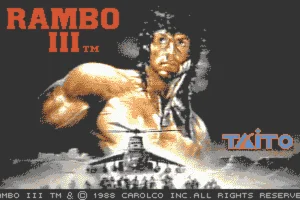
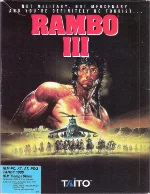 Based on the 1988 action movie starring Sylvester Stallone, Rambo III is an action game developed by Ocean Software and released for MS-DOS in 1989. Taking on the role of John Rambo, the player travels to Soviet-occupied Afghanistan to rescue his captured friend and mentor, Colonel Trautman. The game loosely follows the events of the film and divides Rambo’s dangerous mission into three distinct stages.
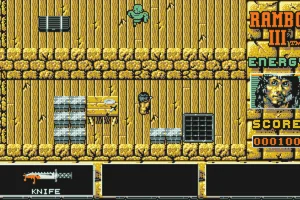
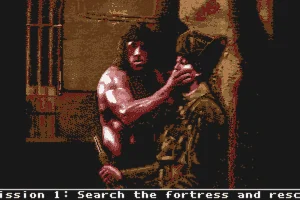
The first part is played from a top-down perspective and focuses on infiltrating a heavily guarded Soviet fortress. Rambo must explore the complex, avoid or eliminate enemy soldiers, watch out for mines, traps and infrared security beams, and collect useful weapons and equipment along the way. The second stage retains the overhead view but places greater emphasis on combat, as Rambo fights his way through a military compound, plants explosives and searches for a way to escape.
For the final stage, the gameplay changes dramatically into a fast-paced shooting sequence as Rambo makes his way toward the Afghan border in a captured tank. Enemy soldiers, tanks, missiles and helicopters stand between him and freedom, culminating in a confrontation with a Soviet attack helicopter. With its mixture of exploration, stealth and arcade-style shooting, Rambo III offers a surprisingly varied adaptation of the blockbuster movie and a distinctive example of late-1980s action gaming on MS-DOS.
Just play it!
Tip: Press Alt + Enter to toggle fullscreen mode
Quick tips — new to MS-DOS games?
- Click inside the game to give it keyboard/mouse focus.
- Ctrl + F10 — release or re-capture the mouse cursor.
- Saving varies by game — look for Save in the in-game menu (Esc or F1), or try F5 / F7.
- Some games use passwords instead of saves — note it down!
- Controls are often shown on the game's intro or title screen — don't skip them.
- 🖥️ CRT filter is on by default for that authentic monitor look. Toggle it with Alt+F7 or the CRT: ON/OFF button in the bottom-right corner of the game. Your preference is remembered.
Playing on a phone or tablet?
MS-DOS games were built for a physical keyboard. Use the
keyboard button in the game's bottom bar to bring up
the on-screen keys, or connect a Bluetooth keyboard — some games are
hard to control by touch alone.
Explore More
More Action Games:
Browse all action games
Browse all action games
Games from 1989:
See all games from 1989
See all games from 1989
Developer:
More games by Taito
More games by Taito


Comments
No comments yet — be the first to say something.
New Comment