Battle Chess
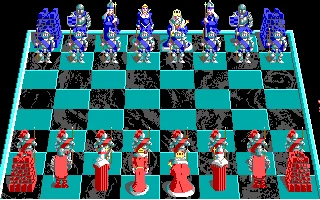
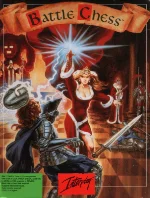 Battle Chess, released for MS-DOS in 1988 by Interplay Productions, brought the classic game of chess to life with a unique and entertaining twist. Instead of simple moves on a static board, each piece was represented by a fully animated character, turning every capture into a short, humorous battle sequence. This creative blend of traditional strategy and animated combat made the game stand out in the late 80s.
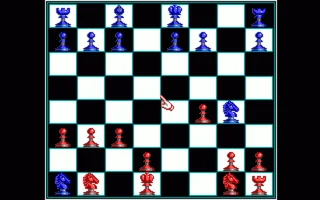
The game remained faithful to standard chess rules while adding a layer of visual excitement that appealed to both chess enthusiasts and casual players. Watching a rook smash a pawn or a knight engage in swordplay gave the otherwise serious game a lighthearted charm. The animations not only entertained but also helped to keep players engaged during longer matches.
With its mix of strategic depth and playful presentation, Battle Chess quickly became a cult classic and inspired multiple ports and sequels across different platforms. It demonstrated how a traditional board game could be reimagined through computer graphics, setting a precedent for future titles that sought to make intellectual games more visually dynamic and accessible.
Genre: Strategy
Release: 1988
Developer: Interplay Productions
Publisher: -
Series: Battle Chess
Tags: Board game, Turn-based, Hot-seat, Comedy
Played: 1,887 times in the last 12 months
Just play it!
Tip: Press Alt + Enter to toggle fullscreen mode
Quick tips — new to MS-DOS games?
- Click inside the game to give it keyboard/mouse focus.
- Ctrl + F10 — release or re-capture the mouse cursor.
- Saving varies by game — look for Save in the in-game menu (Esc or F1), or try F5 / F7.
- Some games use passwords instead of saves — note it down!
- Controls are often shown on the game's intro or title screen — don't skip them.
- 🖥️ CRT filter is on by default for that authentic monitor look. Toggle it with Alt+F7 or the CRT: ON/OFF button in the bottom-right corner of the game. Your preference is remembered.
Playing on a phone or tablet?
MS-DOS games were built for a physical keyboard. Use the
keyboard button in the game's bottom bar to bring up
the on-screen keys, or connect a Bluetooth keyboard — some games are
hard to control by touch alone.
Enjoying Battle Chess? Rate it or leave a comment — it helps other players find the good ones.
Battle Chess controls
| Key | Action |
|---|---|
| Arrow keys | Move the flashing square |
| Enter | Select the piece, then its destination square |
| Letter + number, Enter | Jump to a square by chess notation (B1, Enter, C3, Enter) |
| Mouse | Left click selects a piece and its destination |
| F1 (or hold the right mouse button) | Open the menus |
| Esc | Leave the menus without selecting |
| Alt+F | Force move |
| Alt+T | Take back |
| Alt+R | Replay |
| Alt+M | Suggest move |
| Alt+S | Sound on / off |
Explore More
More Strategy Games:
Browse all strategy games
Games from 1988:
See all games from 1988
Developer:
More games by Interplay Productions



Comments
No comments yet — be the first to say something.
New Comment