The Adventures of Captain Comic
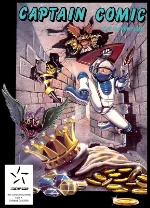 The Adventures of Captain Comic is a colorful side-scrolling platform game released for MS-DOS in 1988 and created by Michael Denio. Players take control of Captain Comic, a brave space explorer who travels to the mysterious planet Tambi in search of three priceless treasures stolen from the planet Omsoc. Armed with his trusty Blastola Cola ray gun, he must explore a series of dangerous environments filled with strange creatures, hidden passages, and useful items.
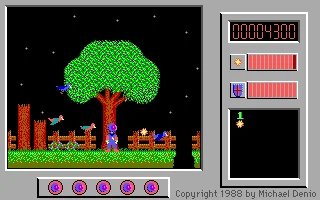
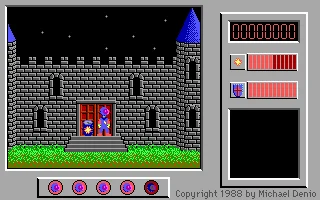
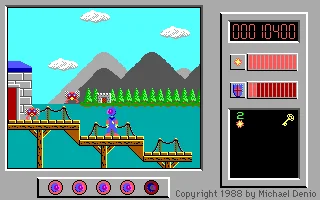
The game combines platforming, exploration, and simple action elements. Captain Comic can run, jump, and shoot enemies while collecting power-ups that improve his abilities and help him reach previously inaccessible areas. The adventure takes place across forests, caves, castles, lakes, and other interconnected locations, encouraging players to explore carefully and remember where important paths and obstacles are located.
The Adventures of Captain Comic became notable as one of the early shareware platform games for IBM PC compatibles. Despite its simple graphics and sound by modern standards, it offered a surprisingly large world and a strong sense of exploration for its time. Its charming presentation, straightforward gameplay, and historical importance have helped it remain a recognizable title among fans of classic MS-DOS gaming.
Just play it!
Tip: Press Alt + Enter to toggle fullscreen mode
Quick tips — new to MS-DOS games?
- Click inside the game to give it keyboard/mouse focus.
- Ctrl + F10 — release or re-capture the mouse cursor.
- Saving varies by game — look for Save in the in-game menu (Esc or F1), or try F5 / F7.
- Some games use passwords instead of saves — note it down!
- Controls are often shown on the game's intro or title screen — don't skip them.
- 🖥️ CRT filter is on by default for that authentic monitor look. Toggle it with Alt+F7 or the CRT: ON/OFF button in the bottom-right corner of the game. Your preference is remembered.
Playing on a phone or tablet?
MS-DOS games were built for a physical keyboard. Use the
keyboard button in the game's bottom bar to bring up
the on-screen keys, or connect a Bluetooth keyboard — some games are
hard to control by touch alone.
Explore More
More Platformer Games:
Browse all platformer games
Browse all platformer games
Games from 1988:
See all games from 1988
See all games from 1988
Developer:
More games by Color Dreams
More games by Color Dreams
Publisher:
Games published by Michael Denio
Games published by Michael Denio



Comments
No comments yet — be the first to say something.
New Comment