Carrier Command
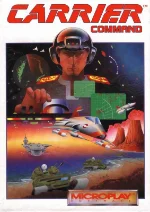 Carrier Command is a groundbreaking science-fiction strategy and vehicle simulation game developed by Realtime Games Software and originally released in 1988. The player takes command of a highly advanced robotic aircraft carrier and must fight for control of a remote archipelago made up of dozens of islands. Opposing you is an enemy carrier with the same objective, turning the campaign into a tense struggle for territory, resources, and ultimately survival.
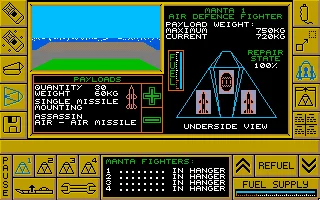
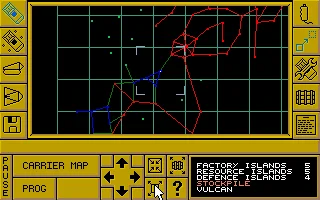
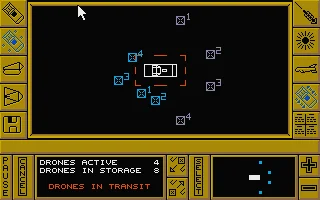
Gameplay combines real-time strategy with direct vehicle control. Islands can be captured and developed into resource, production, or defensive bases, creating a supply network that supports your expanding forces. From the carrier you can deploy and personally control Manta aircraft and Walrus amphibious vehicles, using them to attack enemy installations, defend your territory, and hunt down the opposing carrier. Careful planning is essential, as lost vehicles must be replaced and poorly defended islands can quickly fall into enemy hands.
For its time, Carrier Command was remarkably ambitious, blending strategic management with real-time 3D action in a large and persistent battlefield. Its filled-polygon graphics and unusual mix of simulation, combat, and strategy helped distinguish it from most contemporary computer games. Today it is remembered as an innovative early example of real-time strategy design and as one of Realtime Games Software’s best-known titles.
Just play it!
Tip: Press Alt + Enter to toggle fullscreen mode
Quick tips — new to MS-DOS games?
- Click inside the game to give it keyboard/mouse focus.
- Ctrl + F10 — release or re-capture the mouse cursor.
- Saving varies by game — look for Save in the in-game menu (Esc or F1), or try F5 / F7.
- Some games use passwords instead of saves — note it down!
- Controls are often shown on the game's intro or title screen — don't skip them.
- 🖥️ CRT filter is on by default for that authentic monitor look. Toggle it with Alt+F7 or the CRT: ON/OFF button in the bottom-right corner of the game. Your preference is remembered.
Playing on a phone or tablet?
MS-DOS games were built for a physical keyboard. Use the
keyboard button in the game's bottom bar to bring up
the on-screen keys, or connect a Bluetooth keyboard — some games are
hard to control by touch alone.
Explore More
More Simulation Games:
Browse all simulation games
Browse all simulation games
Games from 1988:
See all games from 1988
See all games from 1988
Developer:
More games by Realtime Games
More games by Realtime Games
Publisher:
Games published by Rainbird
Games published by Rainbird



Comments
No comments yet — be the first to say something.
New Comment