Blood & Magic
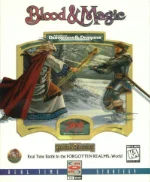
Blood & Magic is a real-time strategy game developed by Tachyon Studios and published by Interplay Productions for MS-DOS in 1996. It carries the Advanced Dungeons & Dragons licence — the first Interplay game to do so — and is set in the Utter East, a corner of the Forgotten Realms no game had visited before, where rival wizards go to war with armies of creatures conjured by blood magic.
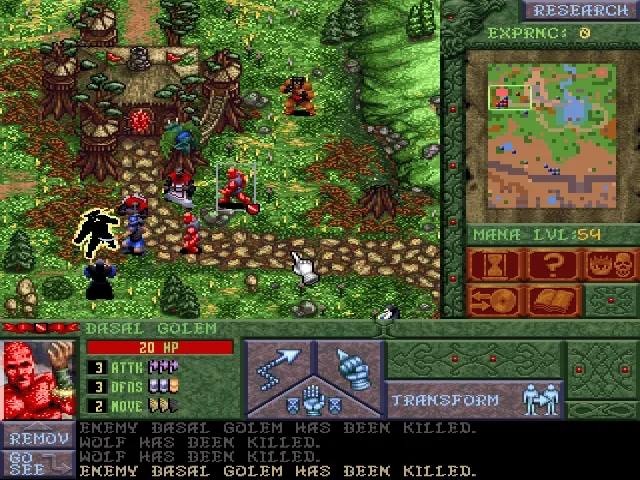
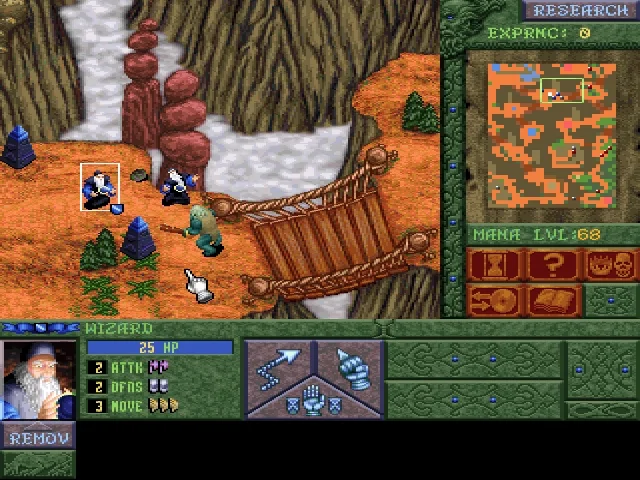
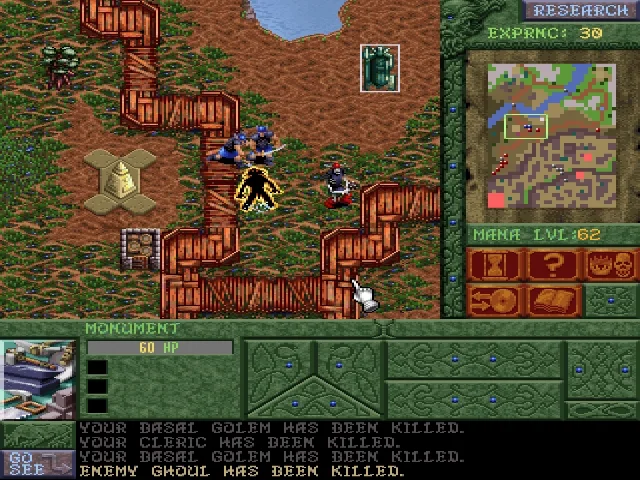
Everything begins at the Bloodforge, which turns mana into Basal Golems. A golem left standing gathers the mana that pays for the next one; four of them placed on a foundation become a mystical site devoted to one kind of magic, and a golem standing beside such a site can be transformed into one of its creatures. Fighting, casting spells and building earn experience, which is spent on research to unlock stronger transformations.
The game offers five story campaigns of three missions each, every one playable from either of its two sides and narrated between battles, often in verse — from the revenge tale Howl of Vengeance to the comic Nuts and Bolts — plus a world-conquest mode across all fifteen maps. The original release also let two players face each other over a network, a modem or a direct link. Reviews at the time were mixed and measured it against Warcraft II and Command & Conquer, but an economy in which the same golems are both the income and the raw material for every unit and building still sets it apart from its contemporaries.
Genre: Strategy
Release: 1996
Developer: Tachyon Studios
Publisher: Interplay Productions
Also known as: Advanced Dungeons & Dragons: Blood & Magic, Blood and Magic
Tags: Fantasy, Real-time, Top-down, Dungeons & Dragons
Just play it!
Quick tips — new to MS-DOS games?
- Click inside the game to give it keyboard/mouse focus.
- Ctrl + F10 — release or re-capture the mouse cursor.
- Saving varies by game — look for Save in the in-game menu (Esc or F1), or try F5 / F7.
- Some games use passwords instead of saves — note it down!
- Controls are often shown on the game's intro or title screen — don't skip them.
- 🖥️ CRT filter is on by default for that authentic monitor look. Toggle it with Alt+F7 or the CRT: ON/OFF button in the bottom-right corner of the game. Your preference is remembered.
Enjoying Blood & Magic? Rate it or leave a comment — it helps other players find the good ones.
Blood & Magic controls
| Key | Action |
|---|---|
| Left click | Select a follower (drag to select a group), then click a command button and its target |
| Right click | Give the selected follower the default order for the target; cancel the current mode |
| Arrow keys | Scroll the map (or move the cursor to the edge of the screen) |
| M | Move |
| A | Attack |
| G | Guard |
| S | Use a skill or spell |
| T | Transform the follower |
| R | Remove the follower |
| I | Use an item |
| D | Drop an item |
| Tab | Cycle to the next follower |
| Ctrl + Left click | Repeat the command to another follower |
| Enter | Go to the latest message's event |
| ? | Info cursor |
| E | Encyclopedia |
| V | Victory and defeat conditions |
| P | Pause |
| F2 / F3 | Save / load game |
| Esc | Leave the current mode; open the options menu |
Explore More
Browse all strategy games
See all games from 1996
More games by Tachyon Studios
Games published by Interplay Productions


Comments
No comments yet — be the first to say something.
New Comment