F-19 Stealth Fighter
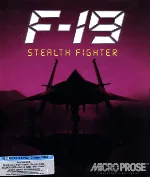 F-19 Stealth Fighter is a combat flight simulator developed and published by MicroProse in 1988. Released for MS-DOS, the game puts players in the cockpit of the fictional F-19 stealth aircraft, designed around the then-secret concept of radar-evading military technology. It combines realistic flight simulation with tactical mission planning, offering a remarkably detailed experience for its era.
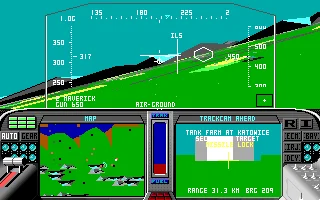
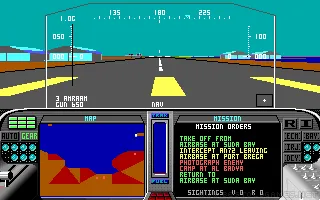
Players take part in a wide variety of missions, including reconnaissance, air-to-air combat, ground attacks, and strikes against heavily defended targets. Success depends not only on flying skills, but also on careful use of stealth, radar, weapons, and navigation systems. The game features several global conflict zones and allows players to choose different difficulty and realism settings, making it accessible to newcomers while still providing a serious challenge for experienced simulation fans.
With its strong emphasis on strategy, realism, and immersion, F-19 Stealth Fighter became one of MicroProse’s most memorable flight simulators of the late 1980s. Its atmospheric presentation, detailed cockpit instruments, and focus on avoiding enemy detection helped distinguish it from more action-oriented flight games. Today, it remains an important example of early PC combat simulation and a classic title from the golden age of MicroProse.
Just play it!
Tip: Press Alt + Enter to toggle fullscreen mode
Quick tips — new to MS-DOS games?
- Click inside the game to give it keyboard/mouse focus.
- Ctrl + F10 — release or re-capture the mouse cursor.
- Saving varies by game — look for Save in the in-game menu (Esc or F1), or try F5 / F7.
- Some games use passwords instead of saves — note it down!
- Controls are often shown on the game's intro or title screen — don't skip them.
- 🖥️ CRT filter is on by default for that authentic monitor look. Toggle it with Alt+F7 or the CRT: ON/OFF button in the bottom-right corner of the game. Your preference is remembered.
Playing on a phone or tablet?
MS-DOS games were built for a physical keyboard. Use the
keyboard button in the game's bottom bar to bring up
the on-screen keys, or connect a Bluetooth keyboard — some games are
hard to control by touch alone.
Explore More
More Simulation Games:
Browse all simulation games
Browse all simulation games
Games from 1988:
See all games from 1988
See all games from 1988
Developer:
More games by MicroProse
More games by MicroProse


Comments
No comments yet — be the first to say something.
New Comment