Red Baron
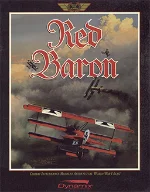 Red Baron, released in 1990 by Dynamix and published by Sierra On-Line, is a legendary World War I flight simulator that lets players relive the dawn of aerial combat. Taking to the skies in fragile biplanes and triplanes, pilots engage in dogfights against history’s greatest aces — including the infamous Manfred von Richthofen, the Red Baron himself.
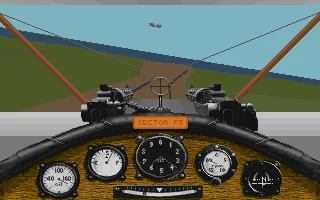
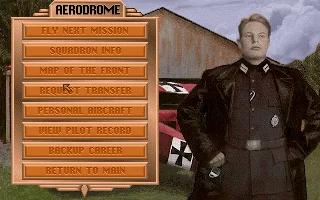
The game combines historical authenticity with thrilling gameplay, offering realistic flight physics, detailed aircraft modeling, and mission-based campaigns across the Western Front. Players can join either the Allied or German air forces, completing patrols, bombing runs, and duels while tracking their pilot’s career and survival through the war’s shifting tides.
Praised for its balance of realism, atmosphere, and playability, Red Baron became one of the defining flight sims of the early 1990s. Its immersive world, historical detail, and dynamic campaign mode set a new standard for air combat simulations and secured its place as a timeless classic in PC gaming history.
Genre: Simulation
Release: 1990
Developer: Dynamix
Publisher: Sierra On-Line
Series: Red Baron
Tags: Flight, Military, Historical, 3D
Played: 961 times in the last 12 months
Just play it!
Tip: Press Alt + Enter to toggle fullscreen mode
Quick tips — new to MS-DOS games?
- Click inside the game to give it keyboard/mouse focus.
- Ctrl + F10 — release or re-capture the mouse cursor.
- Saving varies by game — look for Save in the in-game menu (Esc or F1), or try F5 / F7.
- Some games use passwords instead of saves — note it down!
- Controls are often shown on the game's intro or title screen — don't skip them.
- 🖥️ CRT filter is on by default for that authentic monitor look. Toggle it with Alt+F7 or the CRT: ON/OFF button in the bottom-right corner of the game. Your preference is remembered.
Playing on a phone or tablet?
MS-DOS games were built for a physical keyboard. Use the
keyboard button in the game's bottom bar to bring up
the on-screen keys, or connect a Bluetooth keyboard — some games are
hard to control by touch alone.
Enjoying Red Baron? Rate it or leave a comment — it helps other players find the good ones.
Red Baron controls
| Key | Action |
|---|---|
| Numpad | Fly the plane (the keypad works like the joystick; a joystick or mouse can be used instead) |
| , / . (the < and > keys) | Left / right rudder |
| 1-9 | Set throttle, from none to full |
| - / + | Decrease / increase throttle |
| Space | Fire machine guns |
| U | Unjam the guns (press repeatedly) |
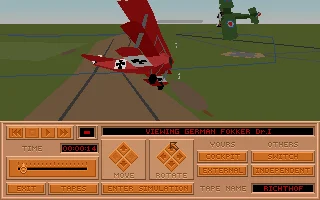
| Enter | Switch between cockpit and external view |
| F1 / F2 / F3 / F4 | Look forward / back / left / right |
| F5 / F6 | Look up / down |
| F7 | Chase plane view |
| C | Time compression on/off |
| F10 | Preferences panel |
Red Baron cheats & tips
| Code | Effect |
|---|---|
| Alt+R | Opens the Realism panel, also during a mission |
| Tip | There, turning off Limited Ammunition and Limited Fuel gives unlimited bullets and fuel; turning off Gun Jams Allowed, Blackouts Allowed and Carburetor Freezes removes those hazards |
| Tip | The Novice button at the top of the panel sets everything to the easy setting at once |
Explore More
More Simulation Games:
Browse all simulation games
Games from 1990:
See all games from 1990
Developer:
More games by Dynamix
Publisher:
Games published by Sierra On-Line
Comments
No comments yet — be the first to say something.
New Comment