Forgotten Worlds
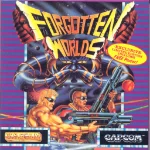
Forgotten Worlds is Capcom's 1988 arcade shoot 'em up and the first game the company released on its CP System hardware. In the 29th century Bios, the god of destruction, and the eight evil gods he has spawned have laid the Earth to waste, and its ruined cities have become known as the Forgotten Worlds. Two nameless super-soldiers, heavily armed and free to move anywhere on the screen, set out to bring them down. U.S. Gold brought the game to home computers in 1989, with the conversions – this DOS version among them – developed by Arc Developments.
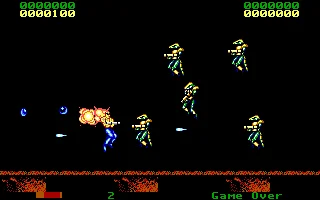
The screen scrolls sideways, and the twist is the aiming: hold fire and push left or right and your soldier turns his gun, so he can shoot in any direction, while a small satellite module circling him adds its own firepower. Defeated enemies drop blue coins called zenny, which are spent in shops midway through each level on new weapons – homing missiles, napalm, a laser, a flamethrower – as well as armour that absorbs a number of hits and a booster that strengthens your gun. Two players can fight side by side, and unlike the Amiga and Atari ST versions, the PC one can be played on the keyboard alone.
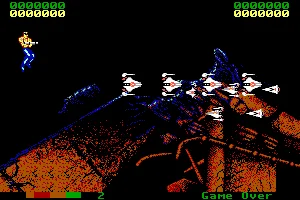
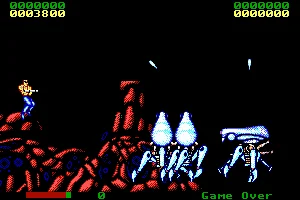
The home version packs the journey into four levels: a bleak city guarded by spider-like robots, the sunken Dust World of a dragon that can only be destroyed through its heart, a heavily armed fortress shielding the shrine of the War God, and finally the kingdom of the gods above the clouds, where Bios waits on his throne. The arcade original won the Best Graphics award at Japan's 1988 Gamest Awards and was later converted to the Mega Drive, the Master System and the PC Engine CD.
Genre: Shooter
Release: 1988
Developer: Arc Developments
Publisher: U.S. Gold
Also known as: Lost Worlds
Tags: Shoot 'em up, Side-scrolling, Arcade port, Sci-Fi, Co-op, Two-player
Just play it!
Quick tips — new to MS-DOS games?
- Click inside the game to give it keyboard/mouse focus.
- Ctrl + F10 — release or re-capture the mouse cursor.
- Saving varies by game — look for Save in the in-game menu (Esc or F1), or try F5 / F7.
- Some games use passwords instead of saves — note it down!
- Controls are often shown on the game's intro or title screen — don't skip them.
- 🖥️ CRT filter is on by default for that authentic monitor look. Toggle it with Alt+F7 or the CRT: ON/OFF button in the bottom-right corner of the game. Your preference is remembered.
Enjoying Forgotten Worlds? Rate it or leave a comment — it helps other players find the good ones.
Forgotten Worlds controls
| Key | Action |
|---|---|
| Arrow keys | Move |
| Ins / Del | Fire |
| Fire + Left / Right | Fire and turn the gun anticlockwise / clockwise |
| Fire + Up / Down | Fire and move up / down |
| F1 / F5 | Smart bomb, player 1 |
| F6 / F10 | Smart bomb, player 2 |
| Enter | Pause |
| Esc | Quit |
Explore More
Browse all shooter games
See all games from 1988
More games by Arc Developments
Games published by U.S. Gold



Comments
No comments yet — be the first to say something.
New Comment