Strider
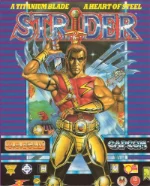
Strider is the 1989 home-computer version of Capcom's arcade hit, converted by Tiertex and published by U.S. Gold for the Amiga, Atari ST, Commodore 64, Amstrad CPC, ZX Spectrum and IBM PC. It is the year 2048 and a mysterious dictator known as the Grandmaster rules the world. Hiryu, the youngest agent ever to reach Super A rank among the Striders – an organization of high-tech ninja – is sent to assassinate him alone, and his mission begins in the Grandmaster's capital in the Kazakh SSR.
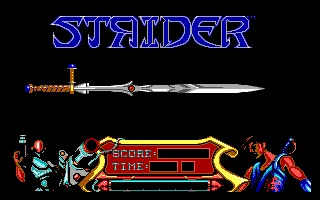
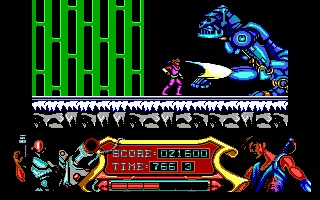
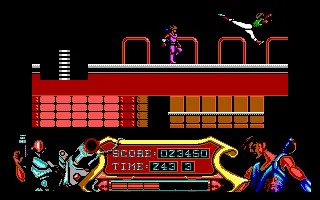
The arcade original made its name with Hiryu's acrobatics: he cuts enemies down with the Cypher, a plasma sword, cartwheels over them, slides beneath them and uses a metal hook to cling to walls and ceilings. Its five stages lead from the Kazakh capital through the Siberian wilderness, the flying battleship Balrog and the Amazon jungle to the Grandmaster's lair, each split into short sections with their own time limit. The PC version runs in EGA or CGA and is played with the keyboard or a joystick.
The conversion keeps the story and the setting but trims a good deal: the graphics are simpler, there is less music and fewer enemies, the controls were reworked for one-button joysticks, and the third and fourth stages swap places while the cut-scenes stay in the arcade's order. There is no final duel with the Grandmaster either – instead the game closes on a twist of its own, revealing that the whole mission was a simulation. Magazines of the day still scored the U.S. Gold versions highly, and Tiertex followed up in 1990 with a sequel of its own, Strider II. Hiryu himself went on to become a regular in Capcom's Marvel vs. Capcom fighting games.
Genre: Platformer
Release: 1989
Developer: Tiertex
Publisher: U.S. Gold
Series: Strider
Also known as: Strider Hiryu
Tags: Arcade port, Side-scrolling, Sci-Fi, Martial arts
Just play it!
Quick tips — new to MS-DOS games?
- Click inside the game to give it keyboard/mouse focus.
- Ctrl + F10 — release or re-capture the mouse cursor.
- Saving varies by game — look for Save in the in-game menu (Esc or F1), or try F5 / F7.
- Some games use passwords instead of saves — note it down!
- Controls are often shown on the game's intro or title screen — don't skip them.
- 🖥️ CRT filter is on by default for that authentic monitor look. Toggle it with Alt+F7 or the CRT: ON/OFF button in the bottom-right corner of the game. Your preference is remembered.
Enjoying Strider? Rate it or leave a comment — it helps other players find the good ones.
Explore More
Browse all platformer games
See all games from 1989
More games by Tiertex
Games published by U.S. Gold





Comments
No comments yet — be the first to say something.
New Comment