Tau Ceti
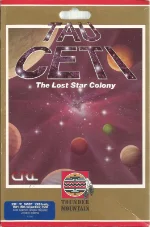
Tau Ceti is a 3D science-fiction shooter designed and programmed by Pete Cooke and published by CRL in 1985, first for the ZX Spectrum and later converted to the Amstrad CPC, Commodore 64, Atari ST and DOS. It is set on Tau Ceti III, a colony world abandoned to its robots, whose defence system has run amok. Every attempt to retake the planet has failed, so this time a single pilot goes in alone, flying a low-flying Gal-Corp skimmer, with one task: shut down the Main Central Reactor in the capital, Centralis.
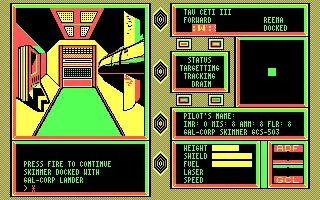
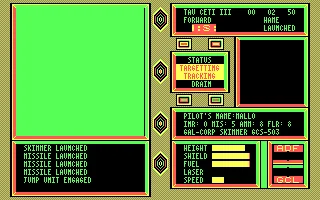
The planet is a network of cities linked by jump pads, and each one is explored in first-person 3D, against patrolling robots, fast Hunters, hidden mines and radar towers that report your position. The skimmer carries lasers that overheat, a limited stock of missiles, anti-missile missiles and flares, and infra-red sights for the nights that fall quickly and often. Docked in an airlock, you work the ship's computer by typing commands: repair and rearm at supply centres, study the map, keep notes on a notepad and collect the forty pieces of the reactor rods hidden in substations across the colony, which have to be fitted together, like a jigsaw, into twenty cooling rods before they can be taken to Centralis.
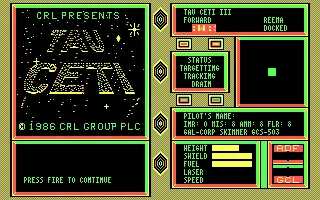
Tau Ceti was one of the most acclaimed Spectrum games of 1985 – CRASH gave it 94% and Sinclair User five stars – and its solid 3D world, with shadows that move with the day and night cycle, made a whole planet feel alive. Cooke followed it with Academy, and a Special Edition appeared for the 128K Spectrum and the Amstrad CPC in 1987. The DOS version, drawn in four-colour CGA, was sold under the Thunder Mountain label as Tau Ceti: The Lost Star Colony.
Genre: Shooter
Release: 1985
Developer: Pete Cooke
Publisher: CRL Group PLC
Series: Tau Ceti
Also known as: Tau Ceti: The Lost Star Colony, Tau-Ceti
Tags: Sci-Fi, 3D, First-person, Vehicular combat, Open world
Just play it!
Quick tips — new to MS-DOS games?
- Click inside the game to give it keyboard/mouse focus.
- Ctrl + F10 — release or re-capture the mouse cursor.
- Saving varies by game — look for Save in the in-game menu (Esc or F1), or try F5 / F7.
- Some games use passwords instead of saves — note it down!
- Controls are often shown on the game's intro or title screen — don't skip them.
- 🖥️ CRT filter is on by default for that authentic monitor look. Toggle it with Alt+F7 or the CRT: ON/OFF button in the bottom-right corner of the game. Your preference is remembered.
Enjoying Tau Ceti? Rate it or leave a comment — it helps other players find the good ones.
Tau Ceti controls
| Key | Action |
|---|---|
| O / P | Turn left / right |
| S / X | Speed up / slow down (at zero speed the skimmer hovers) |
| H / G | Climb / descend |
| Space | Fire the laser cannon |
| M | Fire a missile |
| A | Fire an anti-missile missile (AMM) |
| F | Send up a flare |
| I | Infra-red sights |
| V | Change the view – forward, rear, left, right |
| R | Status report |
| J | Over a jump pad – jump to the next city |
| L | Land |
| HELP | Typed at the computer while docked or landed – lists its commands |
| LAUNCH | Leave the airlock |
| EQUIP | Repair, refuel and rearm in a supply centre or the landing craft |
| MAP | The planet's cities and the jump pads between them |
| RODS | Assemble the reactor rod pieces |
| REACTOR | Insert the rods, docked at the Main Central Reactor in Centralis |
| KEYS | Redefine the flight keys |
| SAVE / LOAD | Save or load the game |
Explore More
Browse all shooter games
See all games from 1985
More games by Pete Cooke
Games published by CRL Group PLC





Comments
No comments yet — be the first to say something.
New Comment