Silent Service
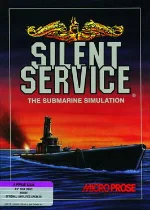 Silent Service is a World War II submarine simulation game developed and published by MicroProse in 1985 for MS-DOS and other home computers. Designed by legendary game developer Sid Meier, the game puts players in command of an American submarine operating in the Pacific Ocean. Their mission is to hunt Japanese merchant ships and warships, disrupt enemy supply lines, and survive dangerous encounters with heavily armed destroyers.
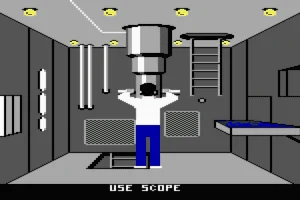
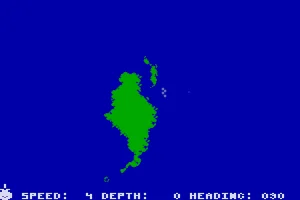
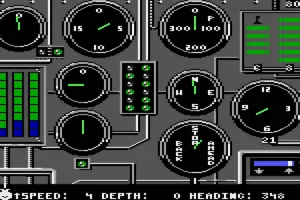
The game combines tactical combat, navigation, and realistic submarine operations. Players must carefully manage their vessel's speed, depth, and position while using sonar, radar, and periscopes to locate enemy targets. Successful attacks require precise torpedo calculations, clever maneuvering, and strategic decisions about when to strike or retreat. Different gameplay modes include training exercises, historical convoy engagements, and extended war patrols, with adjustable difficulty settings offering varying levels of realism.
Despite its simple graphics by modern standards, Silent Service delivers a surprisingly deep and atmospheric simulation experience. Its attention to historical detail, sophisticated gameplay mechanics, and emphasis on tactical decision-making helped establish it as one of the pioneering submarine simulators of the 1980s. The game became an important part of MicroProse's early success and remains a memorable classic of military simulation gaming.
Just play it!
Tip: Press Alt + Enter to toggle fullscreen mode
Quick tips — new to MS-DOS games?
- Click inside the game to give it keyboard/mouse focus.
- Ctrl + F10 — release or re-capture the mouse cursor.
- Saving varies by game — look for Save in the in-game menu (Esc or F1), or try F5 / F7.
- Some games use passwords instead of saves — note it down!
- Controls are often shown on the game's intro or title screen — don't skip them.
- 🖥️ CRT filter is on by default for that authentic monitor look. Toggle it with Alt+F7 or the CRT: ON/OFF button in the bottom-right corner of the game. Your preference is remembered.
Playing on a phone or tablet?
MS-DOS games were built for a physical keyboard. Use the
keyboard button in the game's bottom bar to bring up
the on-screen keys, or connect a Bluetooth keyboard — some games are
hard to control by touch alone.
Explore More
More Simulation Games:
Browse all simulation games
Browse all simulation games
Games from 1985:
See all games from 1985
See all games from 1985
Developer:
More games by MicroProse
More games by MicroProse






Comments
No comments yet — be the first to say something.
New Comment