Silent Service II
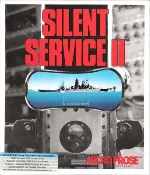 Silent Service II, released in 1990 by MicroProse for MS-DOS, is a realistic submarine warfare simulator set in the Pacific Ocean during World War II. As the sequel to the acclaimed Silent Service, the game puts players in command of an American submarine tasked with hunting Japanese warships and merchant vessels. From dangerous encounters with enemy destroyers to carefully planned torpedo attacks, every mission challenges your tactical skills and ability to survive beneath the waves.
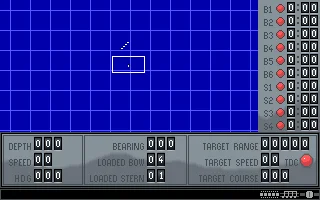
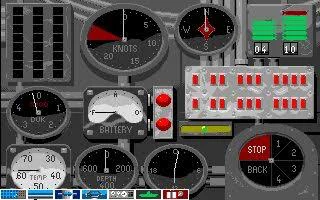
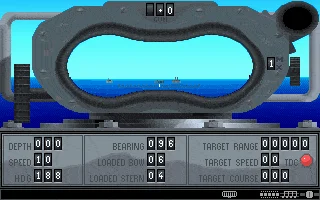
Players must master submarine navigation, manage speed and depth, track enemy movements through the periscope, and execute precise torpedo attacks while avoiding detection and devastating depth charges. The game offers historical combat scenarios, individual patrols, and an extensive career mode in which commanders undertake missions across the Pacific, earning promotions and commendations. A variety of submarines, weapons, and enemy vessels adds depth and replayability to the experience.
Featuring improved graphics, atmospheric sound effects, and more sophisticated gameplay than its predecessor, Silent Service II stands as one of the memorable naval simulations of the early 1990s. Its combination of historical authenticity, strategic decision-making, and tense underwater combat creates an immersive experience that continues to appeal to retro gaming enthusiasts and fans of military simulations. For anyone fascinated by World War II submarine warfare, this MicroProse classic remains a rewarding journey into the silent depths of the Pacific.
Just play it!
Tip: Press Alt + Enter to toggle fullscreen mode
Quick tips — new to MS-DOS games?
- Click inside the game to give it keyboard/mouse focus.
- Ctrl + F10 — release or re-capture the mouse cursor.
- Saving varies by game — look for Save in the in-game menu (Esc or F1), or try F5 / F7.
- Some games use passwords instead of saves — note it down!
- Controls are often shown on the game's intro or title screen — don't skip them.
- 🖥️ CRT filter is on by default for that authentic monitor look. Toggle it with Alt+F7 or the CRT: ON/OFF button in the bottom-right corner of the game. Your preference is remembered.
Playing on a phone or tablet?
MS-DOS games were built for a physical keyboard. Use the
keyboard button in the game's bottom bar to bring up
the on-screen keys, or connect a Bluetooth keyboard — some games are
hard to control by touch alone.
Explore More
More Simulation Games:
Browse all simulation games
Browse all simulation games
Games from 1990:
See all games from 1990
See all games from 1990
Developer:
More games by MPS Labs
More games by MPS Labs
Publisher:
Games published by MicroProse
Games published by MicroProse



Comments
No comments yet — be the first to say something.
New Comment