Chasm: The Rift
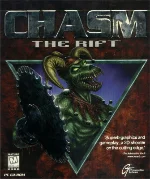 Chasm: The Rift, released in 1997 by Action Forms, is a fast-paced first-person shooter set in a grim, time-twisting future. As a Special Forces commando, players are tasked with stopping the mysterious Time Strikers — grotesque mutant invaders who assault humanity across different historical eras. From modern military bases to ancient Egyptian tombs, each location offers a new and eerie battleground.
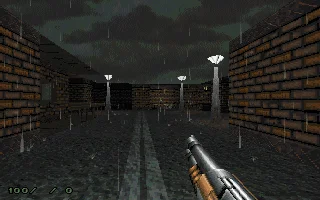
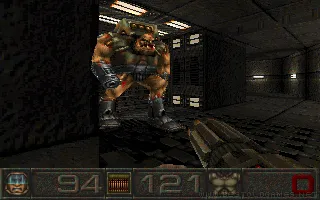
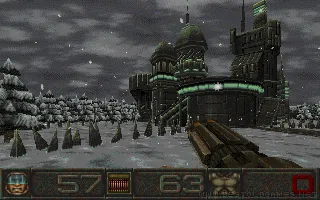
The gameplay emphasizes intense gunfights, maze-like level design, and brutal enemy encounters. One of the game’s standout features is its dismemberment system, allowing players to blow off limbs and disable foes in combat — a rare and shocking mechanic for its time. A varied arsenal, environmental traps, and key-based progression evoke classic ’90s shooter design while maintaining a distinct, gritty atmosphere.
While overshadowed by genre giants like Quake and Duke Nukem 3D, Chasm: The Rift earned a cult following for its dark tone, challenging gameplay, and memorable enemy designs. Today, it remains a noteworthy hidden gem from the late DOS era — a relic of the golden age of shooters that stands apart with its unique style and brutal combat flair.
Genre: Shooter
Release: 1997
Developer: Action Forms
Publisher: Megamedia
Tags: Sci-Fi, First-person, 3D
Played: 184 times in the last 12 months
Just play it!
Tip: Press Alt + Enter to toggle fullscreen mode
Quick tips — new to MS-DOS games?
- Click inside the game to give it keyboard/mouse focus.
- Ctrl + F10 — release or re-capture the mouse cursor.
- Saving varies by game — look for Save in the in-game menu (Esc or F1), or try F5 / F7.
- Some games use passwords instead of saves — note it down!
- Controls are often shown on the game's intro or title screen — don't skip them.
- 🖥️ CRT filter is on by default for that authentic monitor look. Toggle it with Alt+F7 or the CRT: ON/OFF button in the bottom-right corner of the game. Your preference is remembered.
Playing on a phone or tablet?
MS-DOS games were built for a physical keyboard. Use the
keyboard button in the game's bottom bar to bring up
the on-screen keys, or connect a Bluetooth keyboard — some games are
hard to control by touch alone.
Enjoying Chasm: The Rift? Rate it or leave a comment — it helps other players find the good ones.
Chasm: The Rift controls
| Key | Action |
|---|---|
| Arrow keys | Move forward / backward, turn left / right |
| , / . | Strafe left / right |
| Alt (or right mouse button) | Strafe on |
| Ctrl (or left mouse button) | Fire |
| Left Shift | Speed up (run) |
| A / Z | Look up / down |
| S | Center view |
| U | Permanent mouse look |
| / (slash) | Temporary mouse look |
| 1-7 | Select weapon |
| Tab | Show map ([ / ] change its size) |
| F2 / F3 | Save / load game |
| Backspace | Control panel and console |
| The movement and action keys can be changed under Options > SetUp Controls. | |
Chasm: The Rift cheats & tips
| Code | Effect |
|---|---|
| Press Backspace to open the Control Panel, press Tab to switch to the Console, then type a command and press Enter | |
| CHOJIN | Immortal mode |
| WEAPON | All weapons |
| AMMO | Restore ammo for all weapons |
| ARMOR | 200% armor |
| INVISIBLE | Two minutes of invisibility |
| FULLMAP | Show the full map of the current level |
| KILL | Kill all monsters on the level |
| GO followed by a level number | Warp to that level |
| RESTART | Restart the current level |
Explore More
More Shooter Games:
Browse all shooter games
Browse all shooter games
Games from 1997:
See all games from 1997
See all games from 1997
Developer:
More games by Action Forms
More games by Action Forms
Publisher:
Games published by Megamedia
Games published by Megamedia
YES