Dizzy – The Ultimate Cartoon Adventure
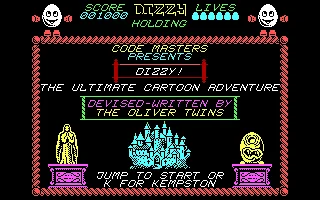
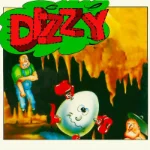 Dizzy – The Ultimate Cartoon Adventure is a classic action-adventure platform game originally released in 1987 by Codemasters and created by the legendary Oliver Twins. The game introduces Dizzy, a lovable egg-shaped hero with a knack for rolling, jumping, and getting into trouble. Set in a colorful fantasy world filled with magical creatures, mysterious locations, and dangerous obstacles, this charming adventure combines classic platforming action with clever puzzle-solving. The game was also released for MS-DOS, allowing PC players to experience Dizzy's very first adventure.
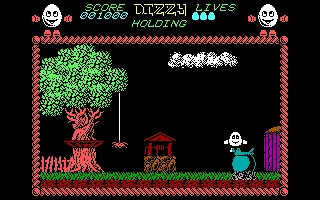
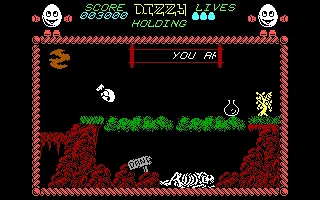
The story follows Dizzy on a daring quest to defeat the evil wizard Zaks, who has cast a dark shadow over the land. To overcome the powerful sorcerer, Dizzy must explore a vast interconnected world, discover hidden treasures, and collect special ingredients needed to create a magical potion. Along the way, players must solve environmental puzzles, use collected objects in the right places, and carefully navigate treacherous platforms. Every screen presents new challenges, requiring patience, exploration, and creative thinking.
With its distinctive cartoon-style graphics, charming main character, and surprisingly challenging gameplay, Dizzy – The Ultimate Cartoon Adventure became a memorable title in the history of British video games. Its combination of exploration, item-based puzzles, and precise platforming helped establish the foundations of the successful Dizzy franchise. Despite its simple presentation and unforgiving difficulty, the game remains a nostalgic classic that captures the creativity and charm of late-1980s computer gaming.
Just play it!
Tip: Press Alt + Enter to toggle fullscreen mode
Quick tips — new to MS-DOS games?
- Click inside the game to give it keyboard/mouse focus.
- Ctrl + F10 — release or re-capture the mouse cursor.
- Saving varies by game — look for Save in the in-game menu (Esc or F1), or try F5 / F7.
- Some games use passwords instead of saves — note it down!
- Controls are often shown on the game's intro or title screen — don't skip them.
- 🖥️ CRT filter is on by default for that authentic monitor look. Toggle it with Alt+F7 or the CRT: ON/OFF button in the bottom-right corner of the game. Your preference is remembered.
Playing on a phone or tablet?
MS-DOS games were built for a physical keyboard. Use the
keyboard button in the game's bottom bar to bring up
the on-screen keys, or connect a Bluetooth keyboard — some games are
hard to control by touch alone.
Explore More
More Platformer Games:
Browse all platformer games
Browse all platformer games
Games from 1987:
See all games from 1987
See all games from 1987
Developer:
More games by Codemasters
More games by Codemasters

Comments
No comments yet — be the first to say something.
New Comment