King's Quest V: Absence Makes the Heart Go Yonder!
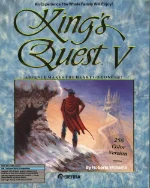 King's Quest V: Absence Makes the Heart Go Yonder! is a classic graphic adventure game developed and published by Sierra On-Line in 1990. The game follows King Graham of Daventry, who returns from a walk only to discover that his entire castle and family have mysteriously vanished. With the help of Cedric, a talking owl, Graham sets out on a long journey to find the powerful wizard Mordack and rescue his loved ones.
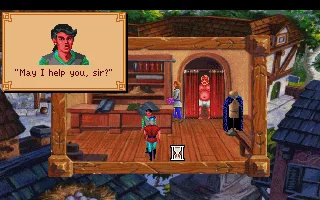
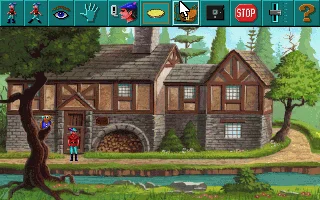
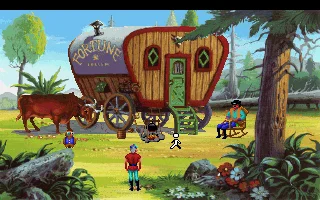
Unlike the earlier games in the series, King's Quest V introduced a fully mouse-driven point-and-click interface, replacing the traditional text parser used in previous installments. Players explore colorful locations, collect and use items, solve puzzles, and interact with a wide variety of characters and creatures. The game was also notable for its detailed VGA graphics, animated scenes, and a more cinematic presentation that represented a major technical step forward for Sierra's adventure games.
With its fairy-tale atmosphere, imaginative world, memorable puzzles, and distinctive Sierra style, King's Quest V became one of the best-known adventure games of the early 1990s. Although some of its puzzles can be unforgiving by modern standards, the game remains an important part of PC gaming history and a significant milestone in the evolution of graphical adventure games.
Just play it!
Tip: Press Alt + Enter to toggle fullscreen mode
Quick tips — new to MS-DOS games?
- Click inside the game to give it keyboard/mouse focus.
- Ctrl + F10 — release or re-capture the mouse cursor.
- Saving varies by game — look for Save in the in-game menu (Esc or F1), or try F5 / F7.
- Some games use passwords instead of saves — note it down!
- Controls are often shown on the game's intro or title screen — don't skip them.
- 🖥️ CRT filter is on by default for that authentic monitor look. Toggle it with Alt+F7 or the CRT: ON/OFF button in the bottom-right corner of the game. Your preference is remembered.
Playing on a phone or tablet?
MS-DOS games were built for a physical keyboard. Use the
keyboard button in the game's bottom bar to bring up
the on-screen keys, or connect a Bluetooth keyboard — some games are
hard to control by touch alone.
Explore More
More Adventure Games:
Browse all adventure games
Browse all adventure games
Games from 1990:
See all games from 1990
See all games from 1990
Developer:
More games by Sierra On-Line
More games by Sierra On-Line



Comments
No comments yet — be the first to say something.
New Comment