King's Quest III
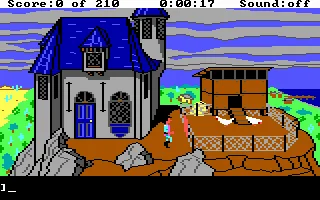
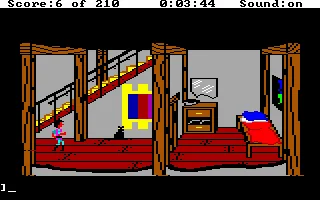
 King's Quest III: To Heir Is Human is a classic graphic adventure game developed and published by Sierra On-Line in 1986. Unlike the previous games in the series, the story initially moves away from the kingdom of Daventry and follows a young man named Gwydion, who lives as a servant to the cruel wizard Manannan. Trapped in the wizard’s mountain home, Gwydion must secretly explore his surroundings, gather useful items, and search for a way to escape without attracting his master’s suspicion.
The game combines exploration, puzzle-solving, and Sierra’s traditional text-parser interface, allowing players to type commands while navigating colorful fantasy environments. A major part of the adventure involves discovering and preparing magical spells from Manannan’s spellbook, with ingredients hidden throughout the world. Timing also plays an important role, as the wizard regularly returns home and can punish Gwydion if he finds him somewhere he should not be or carrying forbidden objects.
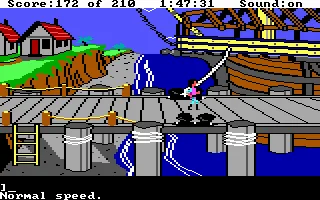
As the story unfolds, Gwydion discovers the truth about his identity and becomes connected to the royal family of Daventry. His journey takes him far beyond Manannan’s house, across dangerous lands and even over the sea, eventually leading to a dramatic confrontation with a dragon. With its ambitious storyline, challenging puzzles, and larger game world, King's Quest III became an important entry in Sierra’s legendary adventure series and remains a memorable example of 1980s PC gaming.
Just play it!
Tip: Press Alt + Enter to toggle fullscreen mode
Quick tips — new to MS-DOS games?
- Click inside the game to give it keyboard/mouse focus.
- Ctrl + F10 — release or re-capture the mouse cursor.
- Saving varies by game — look for Save in the in-game menu (Esc or F1), or try F5 / F7.
- Some games use passwords instead of saves — note it down!
- Controls are often shown on the game's intro or title screen — don't skip them.
- 🖥️ CRT filter is on by default for that authentic monitor look. Toggle it with Alt+F7 or the CRT: ON/OFF button in the bottom-right corner of the game. Your preference is remembered.
Playing on a phone or tablet?
MS-DOS games were built for a physical keyboard. Use the
keyboard button in the game's bottom bar to bring up
the on-screen keys, or connect a Bluetooth keyboard — some games are
hard to control by touch alone.
Explore More
More Adventure Games:
Browse all adventure games
Browse all adventure games
Games from 1986:
See all games from 1986
See all games from 1986
Developer:
More games by Sierra On-Line
More games by Sierra On-Line






Comments
No comments yet — be the first to say something.
New Comment