King's Quest II
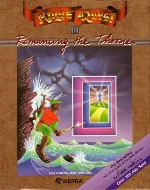 King's Quest II: Romancing the Throne is a classic fantasy adventure game developed and published by Sierra On-Line in 1985. Designed by Roberta Williams as the second installment in the legendary King's Quest series, the game once again puts players in control of Graham, now the King of Daventry. After seeing a vision of the beautiful Valanice imprisoned in a distant tower, Graham sets out for the mysterious land of Kolyma to find her and make her his queen.
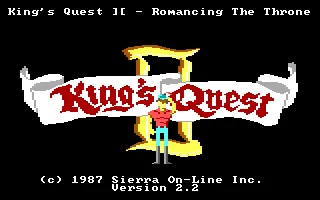
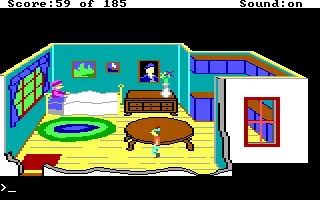
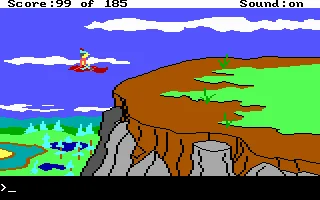
The game combines colorful graphical environments with a text-parser interface typical of Sierra's early AGI adventures. Players guide Graham through interconnected locations using the keyboard while typing commands to examine objects, collect items, talk to characters, and solve puzzles. Reaching Valanice requires finding three magical keys, each protected by its own challenges, while the journey introduces a memorable mixture of fairy-tale creatures, dangerous encounters, hidden treasures, and familiar figures drawn from folklore.
Building on the foundations of the original King's Quest, the sequel offers a larger world and a greater variety of locations to explore, ranging from forests and castles to the depths of the sea. Its combination of exploration, puzzle-solving, fantasy storytelling, and often unforgiving hazards captures the distinctive style of Sierra's early adventure games. King's Quest II remains an important chapter in the history of graphic adventures and helped establish King's Quest as one of Sierra On-Line's defining series.
Just play it!
Tip: Press Alt + Enter to toggle fullscreen mode
Quick tips — new to MS-DOS games?
- Click inside the game to give it keyboard/mouse focus.
- Ctrl + F10 — release or re-capture the mouse cursor.
- Saving varies by game — look for Save in the in-game menu (Esc or F1), or try F5 / F7.
- Some games use passwords instead of saves — note it down!
- Controls are often shown on the game's intro or title screen — don't skip them.
- 🖥️ CRT filter is on by default for that authentic monitor look. Toggle it with Alt+F7 or the CRT: ON/OFF button in the bottom-right corner of the game. Your preference is remembered.
Playing on a phone or tablet?
MS-DOS games were built for a physical keyboard. Use the
keyboard button in the game's bottom bar to bring up
the on-screen keys, or connect a Bluetooth keyboard — some games are
hard to control by touch alone.
Explore More
More Adventure Games:
Browse all adventure games
Browse all adventure games
Games from 1985:
See all games from 1985
See all games from 1985
Developer:
More games by Sierra On-Line
More games by Sierra On-Line





Comments
No comments yet — be the first to say something.
New Comment