Sharkey's 3D Pool
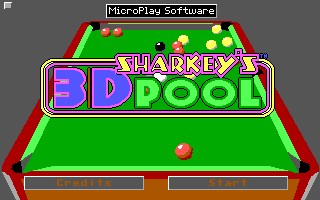
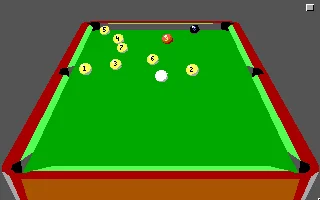
 Sharkey's 3D Pool is a classic billiards simulation released for MS-DOS in 1990 by MicroProse. The game aimed to deliver one of the most realistic pool experiences available on home computers at the time, combining detailed 3D table rendering with surprisingly accurate ball physics. Players could enjoy several pool variations while competing either against the computer or another human player in local multiplayer matches.
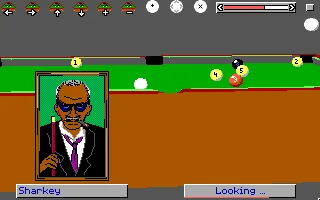
What made the game stand out in the early 1990s was its technical presentation. The pseudo-3D perspective, smooth cue control, and strategic gameplay created an immersive atmosphere uncommon for sports simulations of that era. Despite the hardware limitations of MS-DOS systems, the developers managed to recreate the tension and precision of real billiards, making every shot feel calculated and rewarding. The game also featured customizable shot strength and angles, encouraging players to master positioning and tactical play.
Today, Sharkey's 3D Pool is remembered as a nostalgic example of early computer sports simulations that pushed technical boundaries on PC hardware. Retro gaming enthusiasts still appreciate its authentic gameplay mechanics, minimalist presentation, and competitive charm. For many players, it remains one of the memorable pool titles from the golden age of DOS gaming.
Just play it!
Tip: Press Alt + Enter to toggle fullscreen mode
Quick tips — new to MS-DOS games?
- Click inside the game to give it keyboard/mouse focus.
- Ctrl + F10 — release or re-capture the mouse cursor.
- Saving varies by game — look for Save in the in-game menu (Esc or F1), or try F5 / F7.
- Some games use passwords instead of saves — note it down!
- Controls are often shown on the game's intro or title screen — don't skip them.
- 🖥️ CRT filter is on by default for that authentic monitor look. Toggle it with Alt+F7 or the CRT: ON/OFF button in the bottom-right corner of the game. Your preference is remembered.
Playing on a phone or tablet?
MS-DOS games were built for a physical keyboard. Use the
keyboard button in the game's bottom bar to bring up
the on-screen keys, or connect a Bluetooth keyboard — some games are
hard to control by touch alone.
Explore More
More Simulation Games:
Browse all simulation games
Browse all simulation games
Games from 1990:
See all games from 1990
See all games from 1990
Developer:
More games by Aardvark Software
More games by Aardvark Software
Publisher:
Games published by MicroProse
Games published by MicroProse




Comments
No comments yet — be the first to say something.
New Comment