Al-Qadim: The Genie's Curse
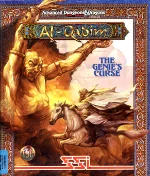 Al-Qadim: The Genie’s Curse, released in 1994 by Strategic Simulations Inc. (SSI), is an action-adventure RPG set in the exotic, Arabian Nights-inspired world of Dungeons & Dragons’ Al-Qadim campaign setting. Players assume the role of a young corsair from a noble family who must clear his family’s name and uncover the secrets behind a powerful and vengeful genie.
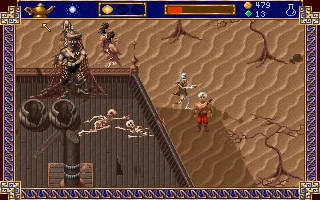
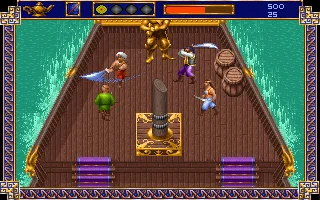
Unlike SSI’s traditional turn-based Gold Box RPGs, Al-Qadim focuses on real-time combat, exploration, and storytelling. Players travel across deserts, islands, and ancient ruins, battling monsters, solving puzzles, and interacting with richly written characters. The game blends light role-playing mechanics with accessible gameplay and an enchanting atmosphere of Middle Eastern fantasy.
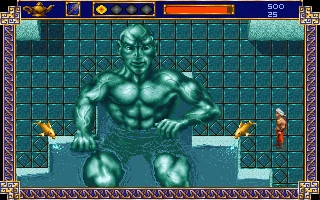
Praised for its distinctive setting, colorful VGA graphics, and engaging narrative, Al-Qadim: The Genie’s Curse stood out as a refreshing departure from Western fantasy tropes. Its fusion of adventure and RPG elements made it one of SSI’s most charming and memorable titles of the 1990s.
Genre: RPG
Release: 1994
Developer: Cyberlore Studios
Publisher: Strategic Simulations
Tags: Dungeons & Dragons, Fantasy, Mythology
Played: 92 times in the last 12 months
Just play it!
Tip: Press Alt + Enter to toggle fullscreen mode
Quick tips — new to MS-DOS games?
- Click inside the game to give it keyboard/mouse focus.
- Ctrl + F10 — release or re-capture the mouse cursor.
- Saving varies by game — look for Save in the in-game menu (Esc or F1), or try F5 / F7.
- Some games use passwords instead of saves — note it down!
- Controls are often shown on the game's intro or title screen — don't skip them.
- 🖥️ CRT filter is on by default for that authentic monitor look. Toggle it with Alt+F7 or the CRT: ON/OFF button in the bottom-right corner of the game. Your preference is remembered.
Playing on a phone or tablet?
MS-DOS games were built for a physical keyboard. Use the
keyboard button in the game's bottom bar to bring up
the on-screen keys, or connect a Bluetooth keyboard — some games are
hard to control by touch alone.
Enjoying Al-Qadim: The Genie's Curse? Rate it or leave a comment — it helps other players find the good ones.
Al-Qadim: The Genie's Curse controls
| Key | Action |
|---|---|
| Mouse | |
| Hold Right click and move the mouse | Walk in that direction |
| Left click | Action - talk, attack, open, pull a switch (whatever is next to the hero) |
| Click the genie's lamp at the top of the screen | Open the menu (inventory, ready weapon, options) |
| Keyboard | |
| Arrow keys | Move (hold two keys for diagonals, or use Numpad 1 / 3 / 7 / 9) |
| Ctrl | Action - talk, attack, open, pull a switch |
| Space | Fire the readied missile weapon or spell |
| Alt | Lock / unlock the direction the hero faces |
| Esc | Open the menu |
| Mouse and keyboard can be used together. | |
Explore More
More RPG Games:
Browse all RPG games
Games from 1994:
See all games from 1994
Developer:
More games by Cyberlore Studios
Publisher:
Games published by Strategic Simulations




Comments
No comments yet — be the first to say something.
New Comment