Albion
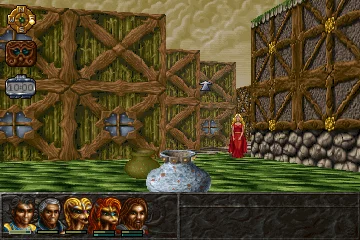
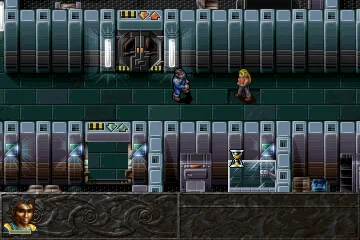
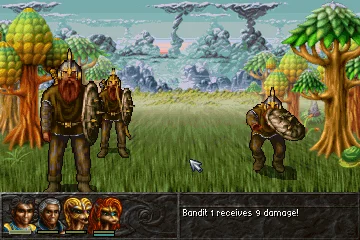
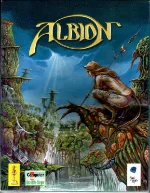 Albion (1996) is a narrative-focused role-playing game for MS-DOS developed by Blue Byte, combining several classic RPG design approaches. Exploration is presented in a mix of a top-down 2D view and, in dungeons and caves, a first-person perspective reminiscent of dungeon crawlers, while combat shifts to a detailed, turn-based tactical view with an isometric camera. This hybrid system allows for both immersive world exploration and strategic depth in battles.
The story takes place on the distant planet Albion, a world where advanced technology and ancient magic exist side by side. Players arrive as part of a human expedition and gradually become entangled in the lives, beliefs, and conflicts of the planet’s native inhabitants. The game places strong emphasis on ethical choices, cultural understanding, and the unintended consequences of colonial interference.
Praised for its sophisticated writing, memorable characters, and richly constructed setting, Albion stands out as one of the most ambitious European RPGs of the 1990s. Its atmospheric music, thoughtful pacing, and serious thematic tone have helped it maintain a lasting reputation as a cult classic among fans of story-driven role-playing games.
Just play it!
Tip: Press Alt + Enter to toggle fullscreen mode
Quick tips — new to MS-DOS games?
- Click inside the game to give it keyboard/mouse focus.
- Ctrl + F10 — release or re-capture the mouse cursor.
- Saving varies by game — look for Save in the in-game menu (Esc or F1), or try F5 / F7.
- Some games use passwords instead of saves — note it down!
- Controls are often shown on the game's intro or title screen — don't skip them.
- 🖥️ CRT filter is on by default for that authentic monitor look. Toggle it with Alt+F7 or the CRT: ON/OFF button in the bottom-right corner of the game. Your preference is remembered.
Playing on a phone or tablet?
MS-DOS games were built for a physical keyboard. Use the
keyboard button in the game's bottom bar to bring up
the on-screen keys, or connect a Bluetooth keyboard — some games are
hard to control by touch alone.
Enjoying Albion? Rate it or leave a comment — it helps other players find the good ones.
Albion controls
| Key | Action |
|---|---|
| Left click (hold) | Walk; the leader follows the pointer (in 3D areas, use the arrows at the edge of the view) |
| Left click | Select, take an object, choose from a menu |
| Right click (hold, release over a gold pointer) | Open the action menu for that object or spot; also cancels |
| Arrow keys | Walk (2D); move forward / back and turn left / right (3D) |
| 1-6 | Make that party member the leader |
| F1-F6 | Character screen of that party member |
| Esc | Main menu |
| 3D areas | |
| Alt + Left / Right arrow | Sidestep left / right |
| Ctrl + Up / Down arrow | Run forward / backward |
| Ctrl + Left / Right arrow | Turn quickly |
| Page Up / Page Down | Look up / down |
| Tab | Automap |
Explore More
More RPG Games:
Browse all RPG games
Games from 1996:
See all games from 1996
Developer:
More games by Blue Byte
Comments
No comments yet — be the first to say something.
New Comment