Microsoft Flight Simulator 4.0
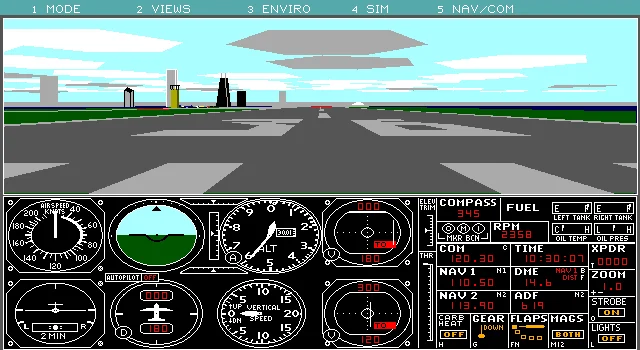
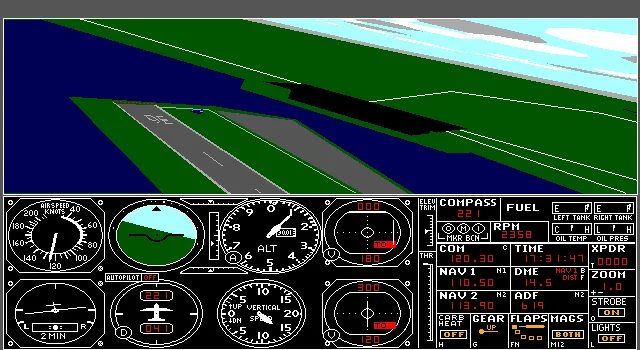
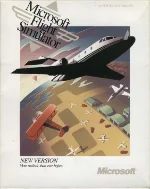 Microsoft Flight Simulator 4.0 (1989) is a landmark entry in Microsoft’s long-running flight simulation series for MS-DOS. Developed by the Bruce Artwick Organization and published by Microsoft, it refined the core experience of realistic civilian aviation introduced in earlier versions. The game places players directly into the cockpit, where they must manage aircraft controls, navigation instruments, and changing flight conditions while operating within a surprisingly detailed simulation framework for its time.
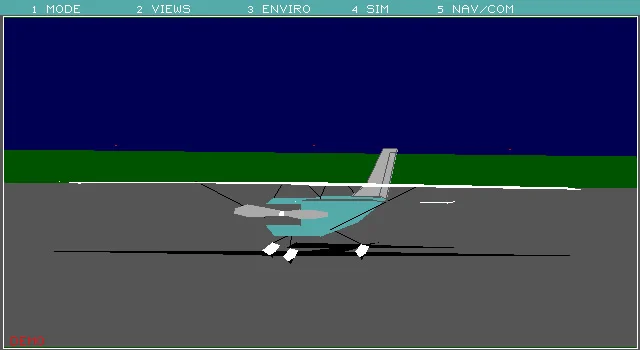
One of the defining strengths of Flight Simulator 4.0 was its technical and gameplay expansion over its predecessor. It introduced improved flight models, more realistic aerodynamic behavior, and dynamic weather systems including wind and turbulence. The game also featured a sailplane, enhanced aircraft models, and limited but lively “dynamic scenery” such as moving air and ground traffic at major airports. Additionally, it supported a small selection of major U.S. cities with corresponding scenery, allowing for more varied navigation and visual context during flight.
Beyond its core simulation, Microsoft Flight Simulator 4.0 became important for its extensibility and community-driven expansion. It supported add-ons and tools such as aircraft and scenery designers, which allowed players to create custom planes and environments. This made it not just a game, but a platform for experimentation and learning about aviation principles. Its combination of technical depth and modifiability helped establish the foundation for the series’ long-term identity as one of the most serious and influential civilian flight simulators ever made.
Just play it!
Tip: Press Alt + Enter to toggle fullscreen mode
Quick tips — new to MS-DOS games?
- Click inside the game to give it keyboard/mouse focus.
- Ctrl + F10 — release or re-capture the mouse cursor.
- Saving varies by game — look for Save in the in-game menu (Esc or F1), or try F5 / F7.
- Some games use passwords instead of saves — note it down!
- Controls are often shown on the game's intro or title screen — don't skip them.
- 🖥️ CRT filter is on by default for that authentic monitor look. Toggle it with Alt+F7 or the CRT: ON/OFF button in the bottom-right corner of the game. Your preference is remembered.
Playing on a phone or tablet?
MS-DOS games were built for a physical keyboard. Use the
keyboard button in the game's bottom bar to bring up
the on-screen keys, or connect a Bluetooth keyboard — some games are
hard to control by touch alone.
Explore More
More Simulation Games:
Browse all simulation games
Browse all simulation games
Games from 1989:
See all games from 1989
See all games from 1989
Developer:
More games by Bruce Artwick Organization
More games by Bruce Artwick Organization
Publisher:
Games published by Microsoft
Games published by Microsoft



Comments
No comments yet — be the first to say something.
New Comment